Can I change a price directly in Shopify?
Last updated: October 13, 2026
Prices flow one way, from MarketSync to Shopify. If you edit a price in Shopify, it is replaced at the next price sync.
To keep a specific price on a card:
- In MarketSync, search for the card and open its details.
- Enter a Manual price for Near Mint and save.
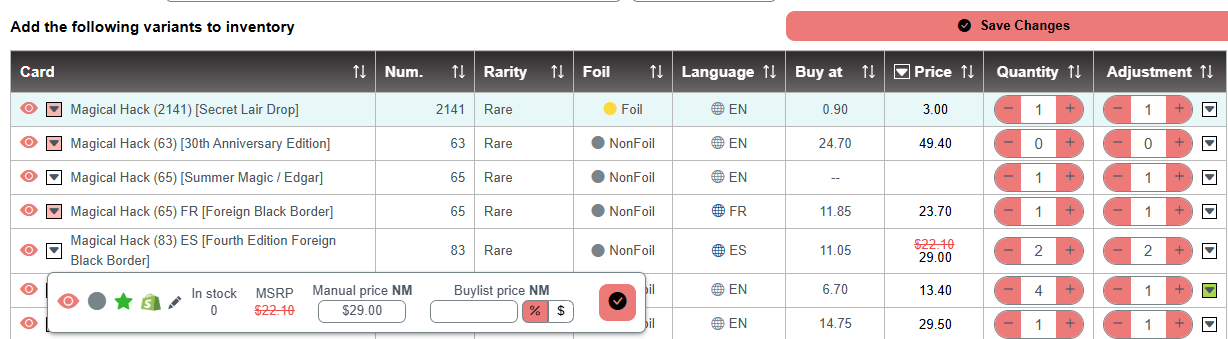
The card is then excluded from automatic price updates: the manual price stays the same whether the market goes up or down. The other conditions are still calculated from your manual Near Mint price with your Price Depreciation settings. Remove the manual price to return to automatic pricing.
The same card details window also lets you set a specific buylist price for that card.
How to find all my manual prices ?
- In an inventory adjustment, use the With active price override filter to list every card with a manual price. The original price is shown crossed out next to it.

Other articles that may interest you
Can I sell graded cards (slabs) with MarketSync?
Graded cards are managed as regular Shopify products, priced by you.
HelpDoes MarketSync sync with eBay, TCGplayer or other platforms?
MarketSync syncs directly with Shopify. Other channels connect through Shopify.
HelpHow do I add sealed products to Shopify?
Create booster boxes and other sealed products in one click, then track your price against the market.