How do I add sealed products to Shopify?
Last updated: October 13, 2026
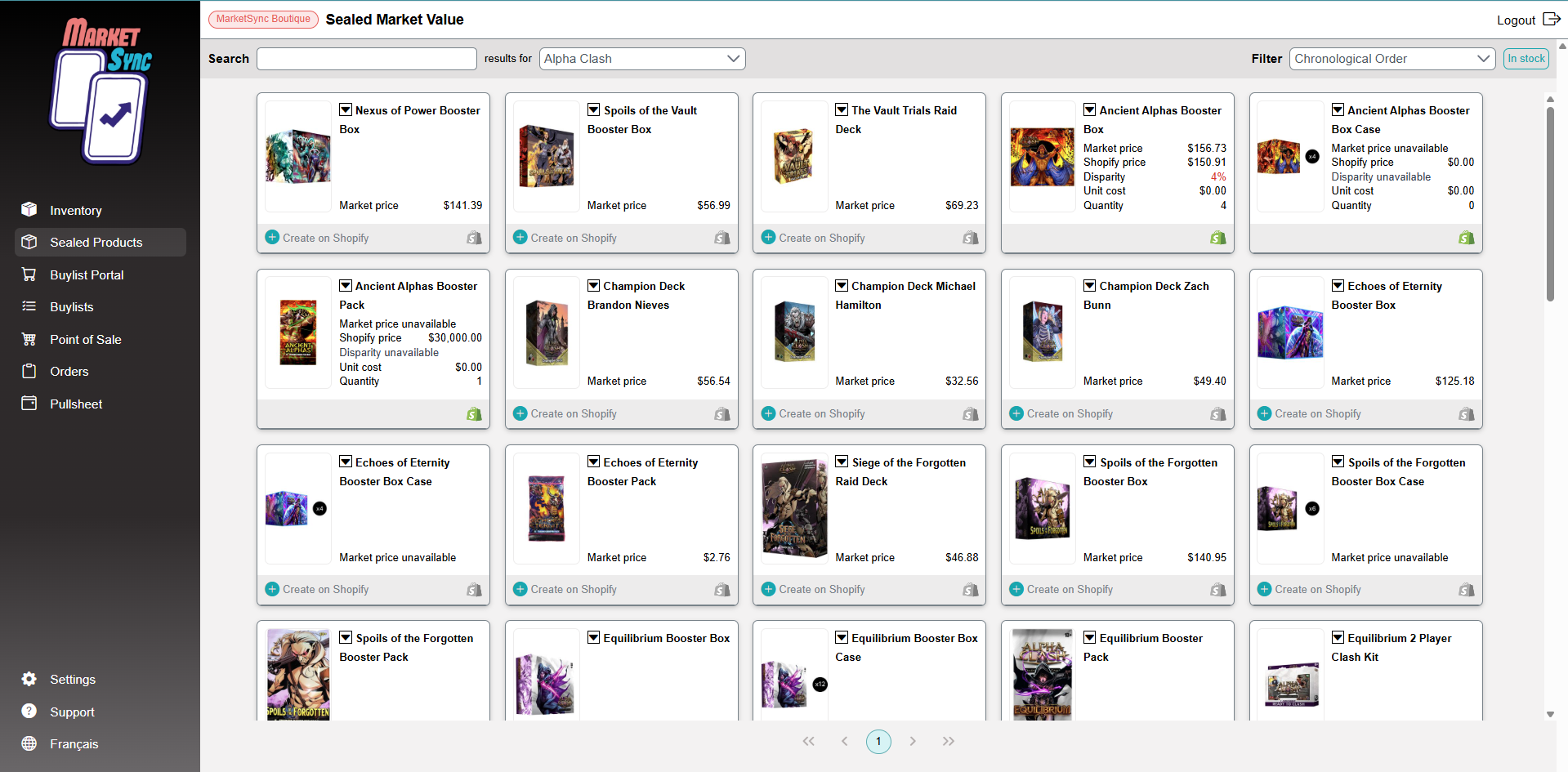
The Sealed Products page lists the sealed products available on TCGplayer (booster packs, displays, bundles and more) for each game.
- Open Sealed Products and choose a game.
- Search for the product, for example the name of the new set.
- Click Create on Shopify. MarketSync creates the product with its title, image and the market price.
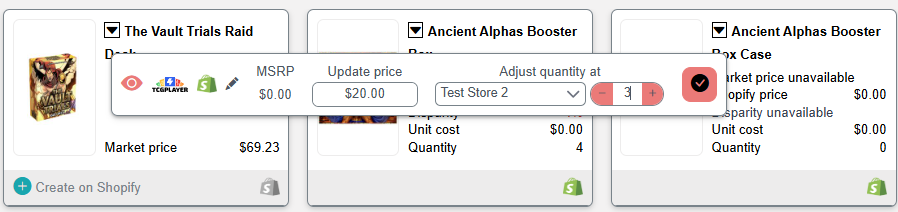
- Set your quantity and your price directly on the product card.
Already have the product in Shopify?
- Click Sync and enter the Product Id found at the end of the product address in Shopify, so it is linked instead of duplicated.
Are sealed prices updated automatically?
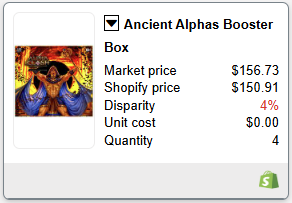
- No. Unlike singles, MarketSync never changes the price of a sealed product after it is created. Instead, each product shows the Market price, your Shopify price and the Disparity between the two, so you can adjust when you want. Turn on In stock and sort by disparity to review your inventory quickly.
Sealed products are not part of the processing fee.
Other articles that may interest you
Feature
Inventory Management
Your full singles catalog created in Shopify, with one accurate inventory for your website and your counter.
HelpProduct update: October 2026
Cyberpunk TCG and 4 more games, new POS filters, bulk card creation and a monthly singles inventory report.
HelpCan I change a price directly in Shopify?
Shopify edits are replaced at the next sync. Set a manual price in MarketSync instead.