Product update: October 2026
Last updated: October 28, 2026
Here's everything new in MarketSync this month: five new games, faster searches at the counter, more control over card creation and a clear view of what your singles inventory is worth.
5 new games supported
MarketSync now supports five more games, so you can sell what your customers are asking for:
- Cyberpunk TCG
- Dragon Ball Super Masters
- Dragon Ball Super Fusion World
- Dragon Ball Z TCG
- Union Arena
To turn on a new game, just contact us! We'll be happy to activate it for free.
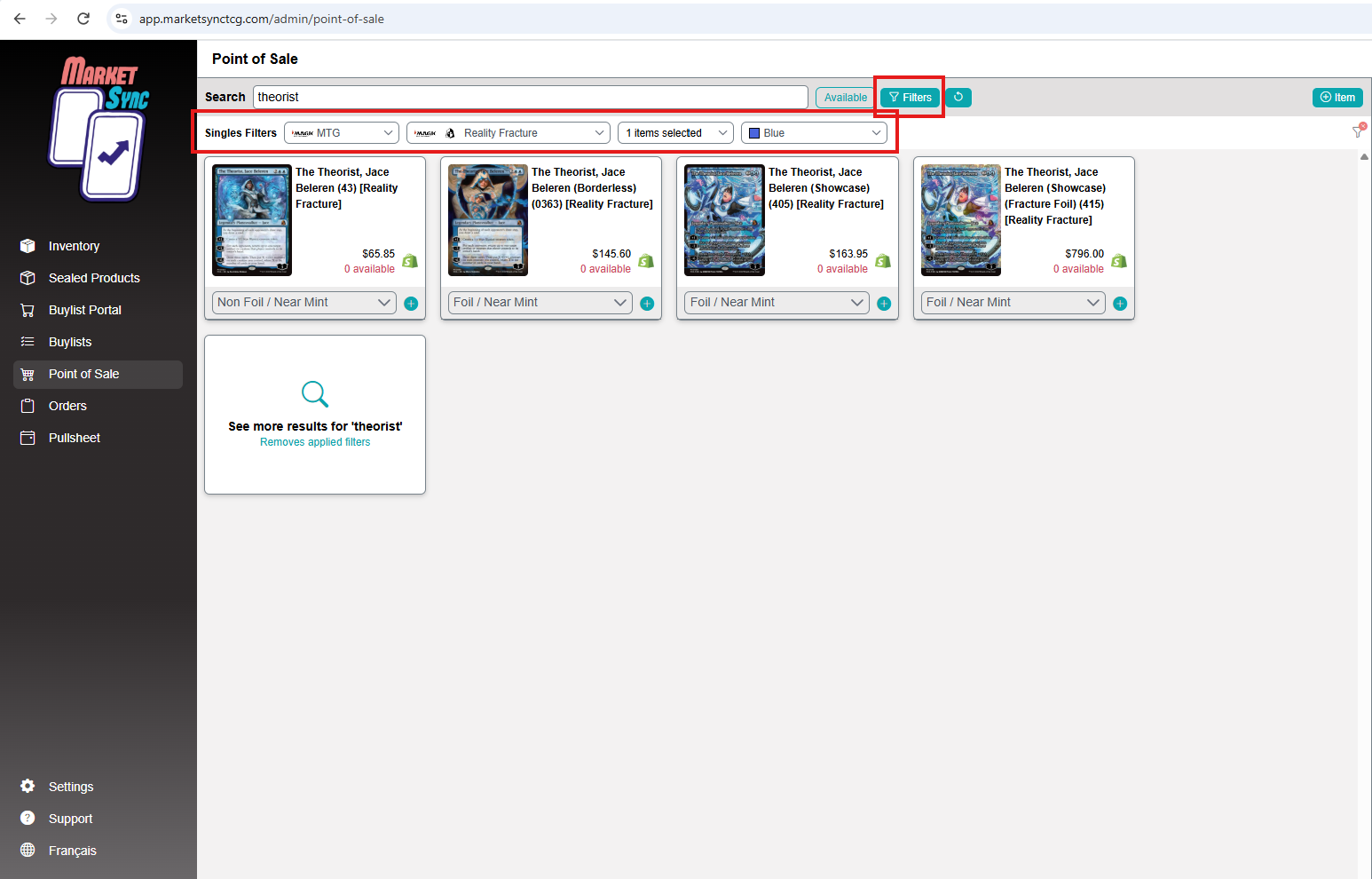
New POS filters for singles
You can now filter singles in the POS by game, edition, rarity and colour. Combine them to go straight to the right card.
It's especially useful when a customer doesn't remember the exact name. "A blue mythic from the latest Magic set" becomes a two-second search instead of a scroll through hundreds of results.
Create missing cards in bulk
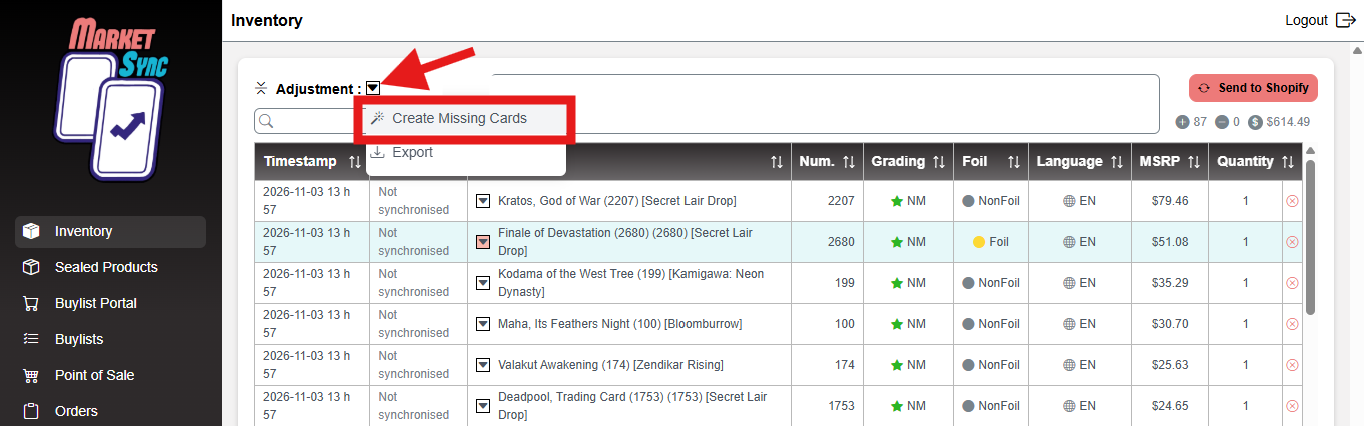
When an inventory adjustment contains cards that don't exist in your Shopify store yet, you can now create all of them at once.
- Open the inventory adjustment.
- Open the dropdown menu.
- Select Create missing cards.
- Confirm. MarketSync creates the cards and shows you a summary, with a warning for any card that couldn't be created.
This is handy if your store has a daily variant creation limit in Shopify: the cards you're about to put in stock get created first, instead of waiting for the automation to reach them.
Monthly singles inventory report
Get a full snapshot of your single cards at the start of each month, ready to open in Excel or Google Sheets. For every card, you'll see:
- Set, card number, rarity, foiling and condition
- Quantity in stock
- Shopify price, MarketSync price and any price override
- Total retail value
- Buylist cash and credit price, with their totals
Use it to track the value of your singles over time, prepare your accounting or insurance, or decide where to focus your next buys.
How to turn it on
- Turn on the report.
- Your first report will be ready to download at the start of next month.
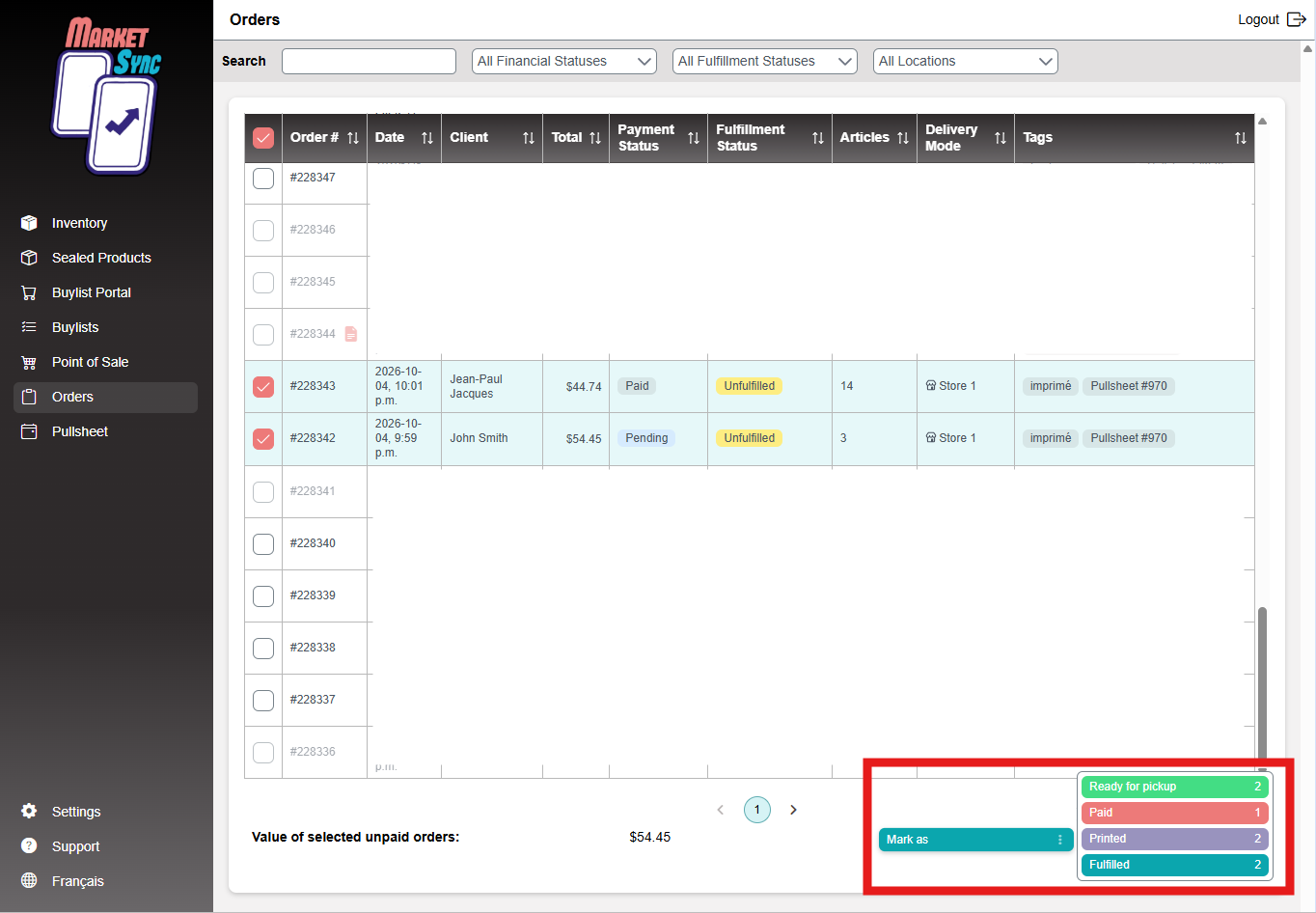
Mark pickup orders as ready in bulk
Select your unfulfilled orders and mark them all as ready for pickup in one click. Shipping orders in your selection are simply skipped, so there's no risk of mixing them up.
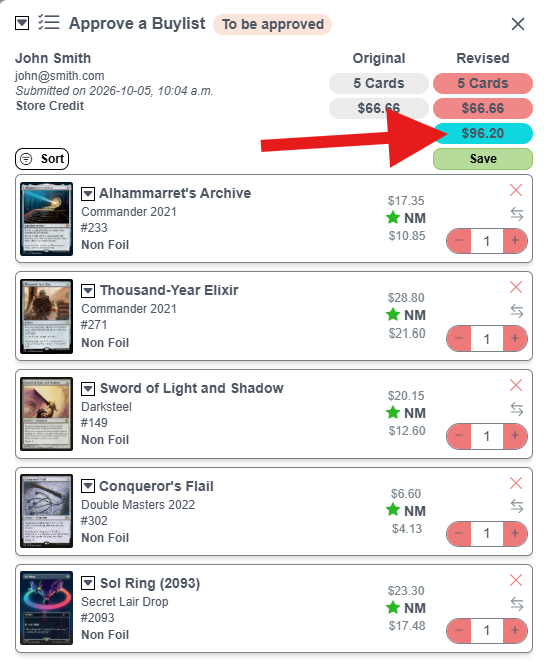
Buylist MSRP total
Each buylist now shows the total suggested retail value of the cards right under the price you're paying. You know the resale value of a collection before you buy it.
The total is hidden by default, so it stays private when a customer is looking at the screen with you. Just click the eye icon to show it.
Other improvements
A handful of reliability and display fixes across inventory adjustments, printouts and pullsheets.
Refer a store, save 50%
Know an LGS that could use MarketSync? Refer them, and once they sign up and get started, they get 50% off their subscription for their first month, and you get 50% off your subscription for the next 2 months.
Write to us at [email protected] with the store's name, or have them mention you when they sign up.
Need help or have an idea?
Use the support window inside MarketSync to reach our team directly, whether you need a hand or want to suggest a new feature. You can also write to us anytime at [email protected].
Other articles that may interest you
Can I sell graded cards (slabs) with MarketSync?
Graded cards are managed as regular Shopify products, priced by you.
HelpHow do I add sealed products to Shopify?
Create booster boxes and other sealed products in one click, then track your price against the market.
HelpHow do I import my inventory from a file?
Import a CSV or Excel file with your TCGplayer IDs and quantities.