What are the onboarding steps?
Last updated: October 13, 2026
Onboarding usually takes a few days to a few weeks, depending on the size of your catalog and when you're ready to go live.
- Connect Shopify. We send you a secure install link. You approve MarketSync in your Shopify admin.
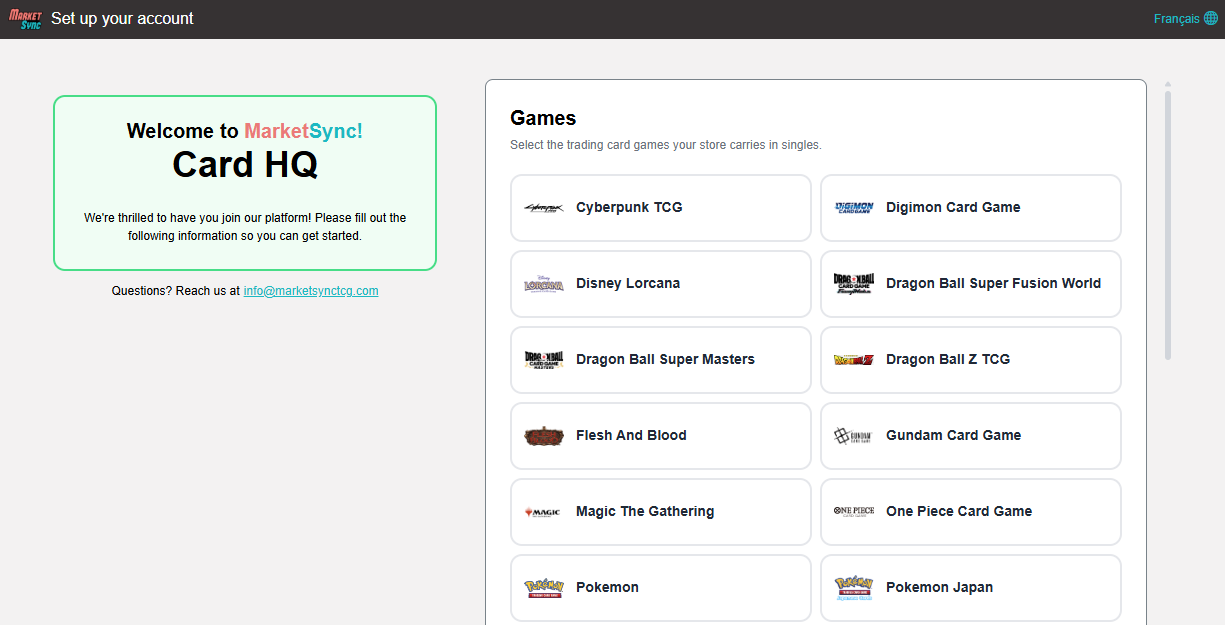
- Set up your account. Once your Shopify store is linked, you're redirected to our onboarding page where you can choose your basic store settings.
- Product creation. Our team is in constant communication with you and we agree on when MarketSync should start creating singles automatically.
- Training. We walk your team through inventory, pricing, the buylist and the point of sale, virtually or in store.
Tip: review your pricing settings before products are created, so your cards are created at the right price from day one.
Already selling singles with another software? See How do I switch from Storepass or BinderPOS?. Starting from a store with no singles yet is the simplest case.
Other articles that may interest you
Help
How do I connect my Shopify store?
Approve the MarketSync app in Shopify so products, prices and inventory stay in sync.
HelpCan I change a price directly in Shopify?
Shopify edits are replaced at the next sync. Set a manual price in MarketSync instead.
HelpDoes MarketSync sync with eBay, TCGplayer or other platforms?
MarketSync syncs directly with Shopify. Other channels connect through Shopify.